OkoIntelligence
Menu

Built for Teams Under Scrutiny

Courts and election offices

Judges, clerks, election administrators and their staff.

One unpopular ruling or count can bring unwanted attention. Oko shows each person where their personal details are listed and how to take it down before that happens.

Newsrooms and journalists

Reporters, editors and producers, staff or freelance.

A big story puts the byline in the spotlight. Oko finds the old accounts and listings that lead back to a reporter’s private life, so they can close them off first.

Hospitals and healthcare workers

Clinicians and staff in services that draw protest or threats.

Staff names are easy to find. Oko shows each person whether that name leads to their address, phone or other private details, and gives them the steps to fix it.

Corporate security and family offices

Executives, principals and the families they are responsible for.

Filings and press coverage make a principal easy to research. Oko gives your team a clear picture of what is out there and a ranked plan to shrink it.
Up and Running in an Afternoon

  1. 01

    Buy credits

    Pick a block of credits for your team. One credit covers one full report.

  2. 02

    Invite your people

    Send invites to work email addresses. If an invite goes unused, its credit comes back to you.

  3. 03

    They add their details

    Each person confirms their email and adds a phone number and any past names or usernames. It takes a couple of minutes.

  4. 04

    Everyone gets a report

    Each person gets their own report and fix list, and you see progress across the team.

Private From
the First Screen

  1. 01

    The invite email

    An email from Oko that names your organization, with a link to accept.

  2. 02

    A welcome that answers the first question

    The welcome screen tells them their report is already paid for, and that you see a short summary of it with no personal details, never what it found.

  3. 03

    Their own report

    The portal walks them through the same steps as everyone else, minus the free check. They read their full report, work through the fixes and recheck when it’s due.

  4. 04

    Your view of the team

    You see who has finished. Once enough people have, you also see totals across the team. Never anyone’s findings.

Welcome screenExample data
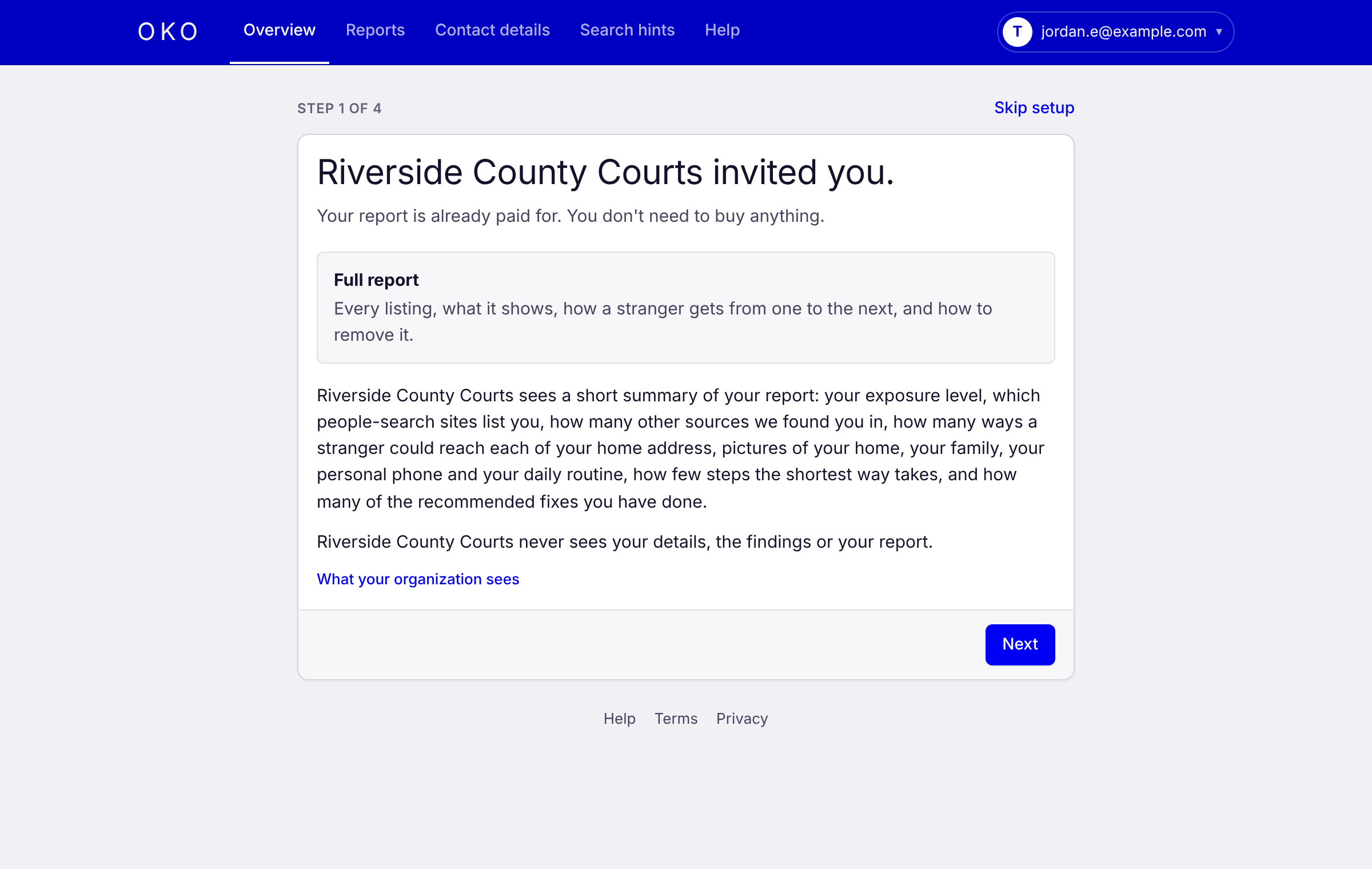
The first welcome screen for an invited member: Riverside County Courts invited you, your report is already paid for, and Riverside County Courts sees a short summary of your report, never your details, the findings or the report.

See Risk Across
Your Team

Track who has been invited, who has a report and how many credits are left. Team-wide figures show where your people stand, so you know where to focus support.

Each person’s report stays private to them. Team figures appear only once enough people have reports that no one person’s results can be picked out.

Organization overviewExample data
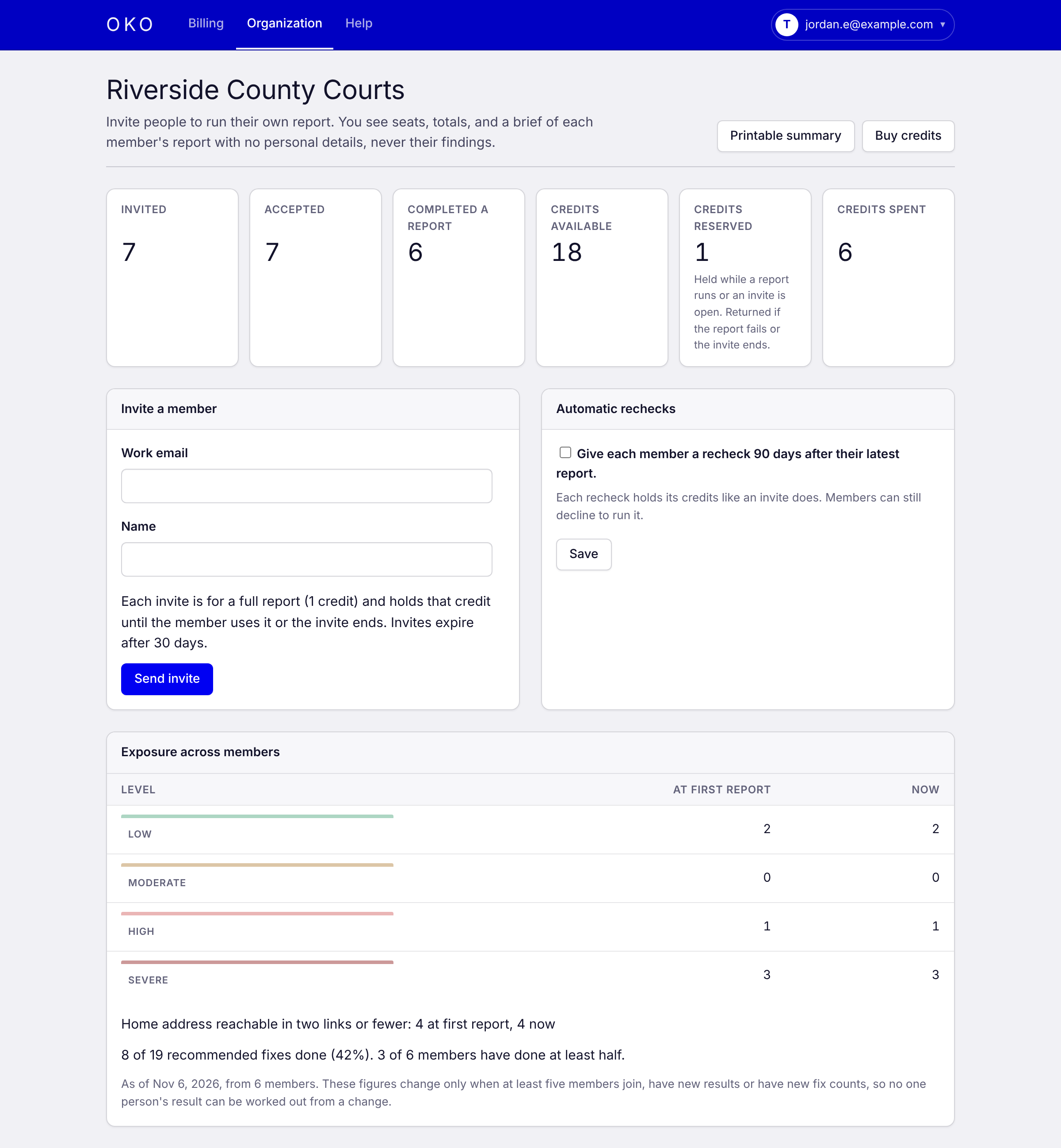
An organization’s overview page: people invited, accepted and with a completed report, credits available, reserved and spent, a form to invite a member, and exposure across members: how many are at each level, how many have a home address within two links, and fixes done.

A Report They Can Act On

Clear results and a ranked fix list with direct opt-out links. Most people can close their biggest exposures in an evening.

Members do their own opt-outs, with the steps in their report. The yearly plan, where Oko sends the requests, is for individual accounts.

Exposure reportExample data
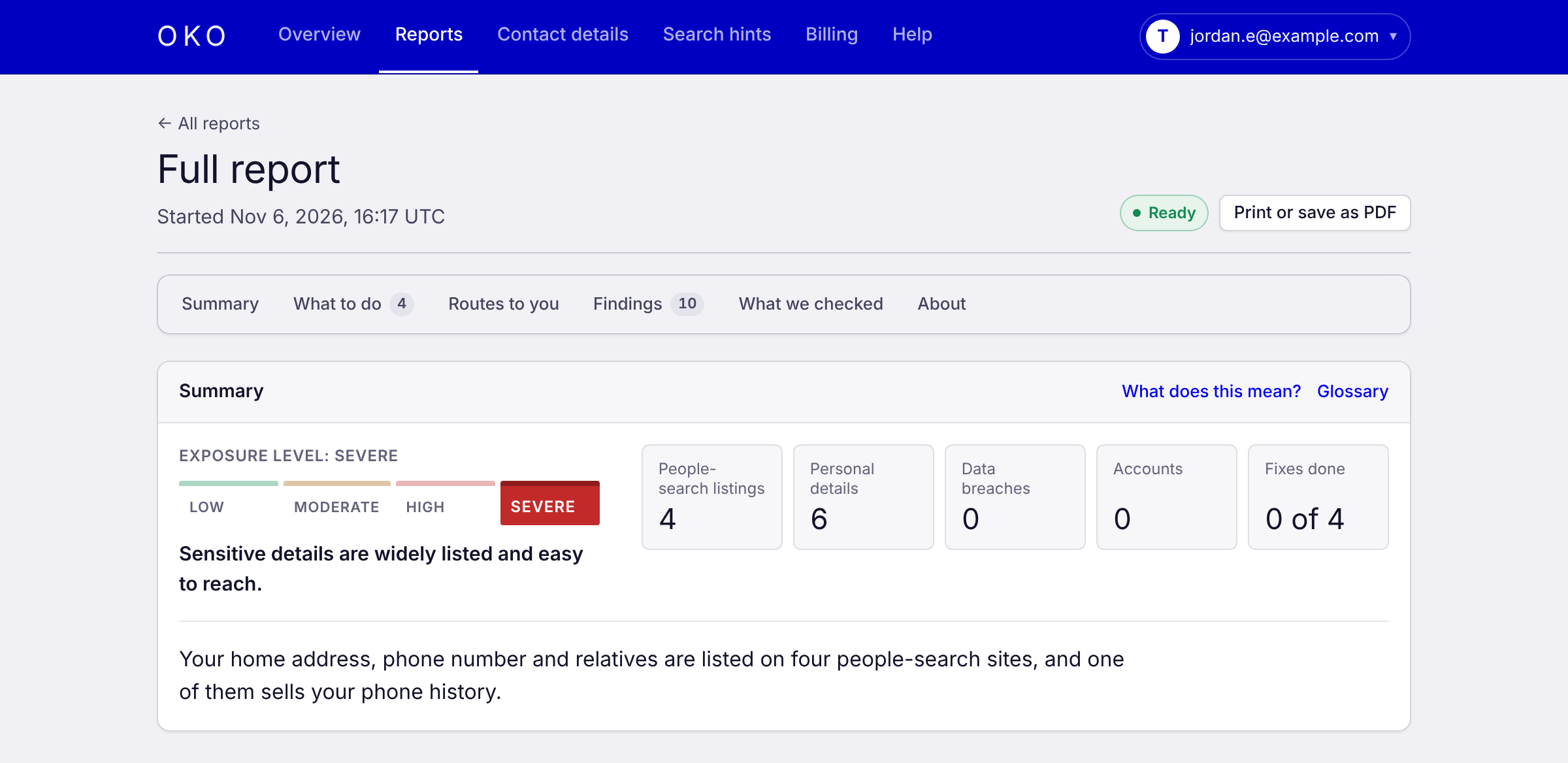
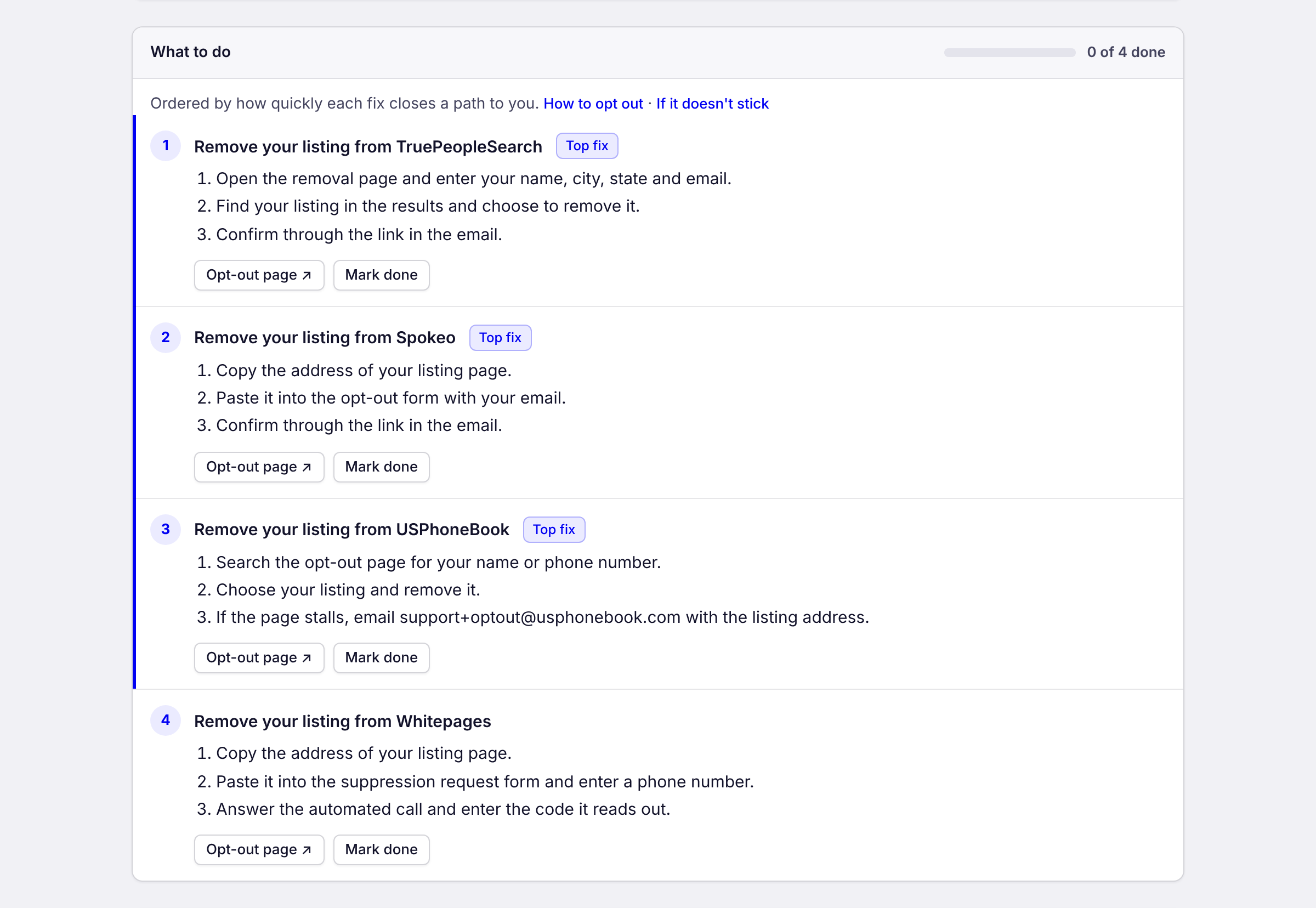
The top of a full report: an exposure level of severe, counts of people-search listings, personal details, breaches, accounts and fixes done, and a one-line summary.The report’s “What to do” list: numbered steps to remove each listing, each with a link to the site’s opt-out page and a Mark done button.
Every result comes with its source, a screenshot and the date it was found

Cover Your
People

Request access and we’ll set up a quick call to get your team started.

Request access